Comparisons & Lists
.jpg)
Brigitte Dreger

Last updated:
October 2026
Read time:
15
mins
AI assistants make meetings so much easier. Here, we compare CoRecruit and SourceWhale and how they perform when on a call. Both offer smart features for recruiters, but they’re built to help you achieve different goals.
CoRecruit is an end-to-end recruitment automation platform. SourceWhale is a CRM and outreach platform with a built-in notetaker.
(Side note: This will be a friendly, healthy comparison between two AI recruiting tools changing the way teams work.)
Read on to figure out which one fits your workflow best.
CoRecruit is an AI recruitment tool purpose-built for recruiting firms, trusted by 1,000+ firms.
It works across Zoom, VOIP, phone calls, and even in-person interviews, turning conversations into structured notes and updating ATS fields automatically.
Recruiters have told us that the built-in automation and AI tools in CoRecruit save them 8+ hours a week! Key features include sourcing candidates across 1.5B profiles with verified contact data from 20+ data providers. Plus, it converts live conversations into rich ATS records, candidate submittals, custom meeting notes. It also
SourceWhale is a recruitment automation platform with a strong focus on outbound outreach.
It’s used by in-house talent teams and agency recruiters who manage candidate pipelines through multi-touch campaigns, data enrichment, workflow automation, and a built-in AI notetaker.
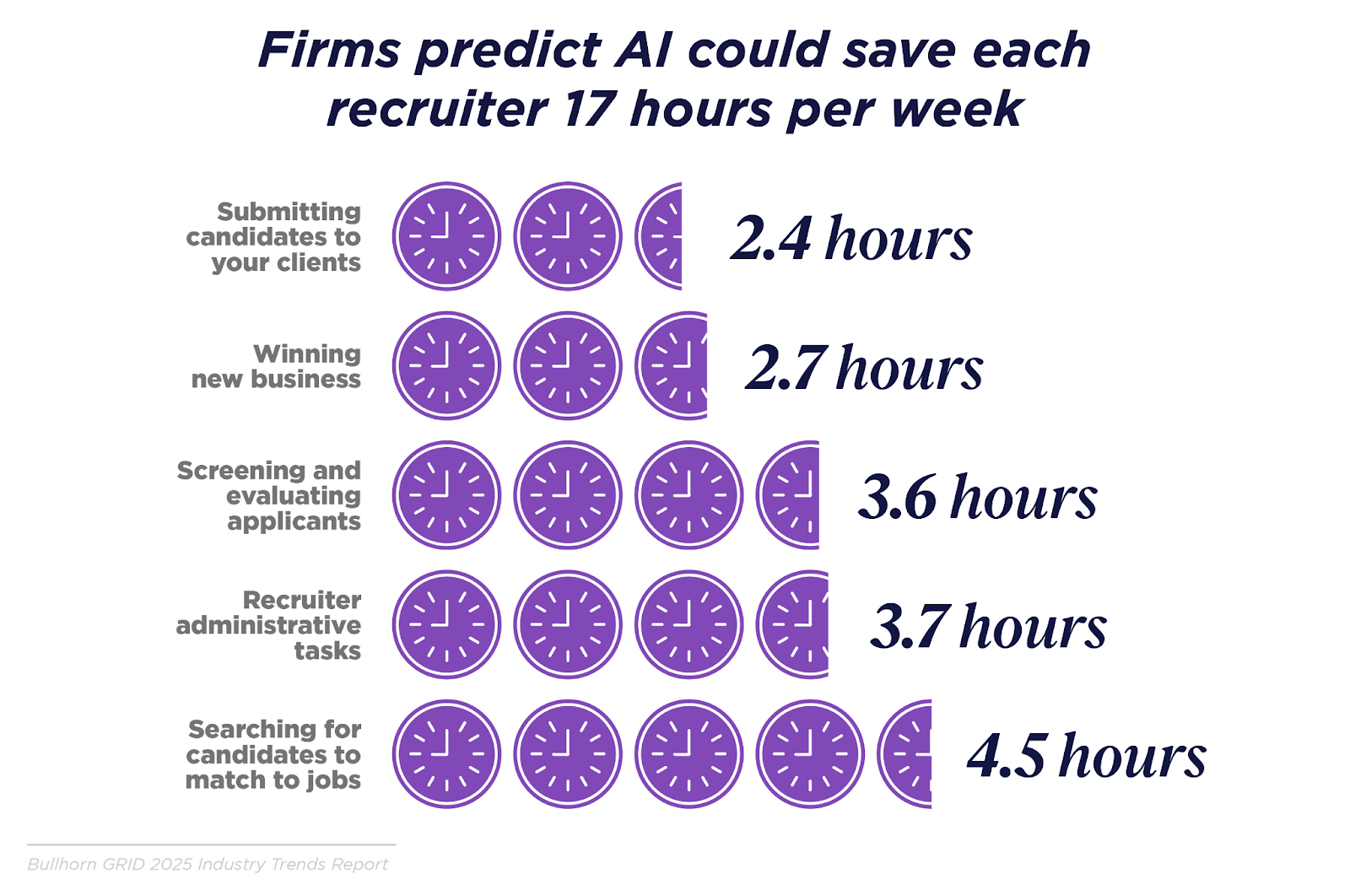
Photo credits: Bullhorn GRID 2025 Industry Trends Report
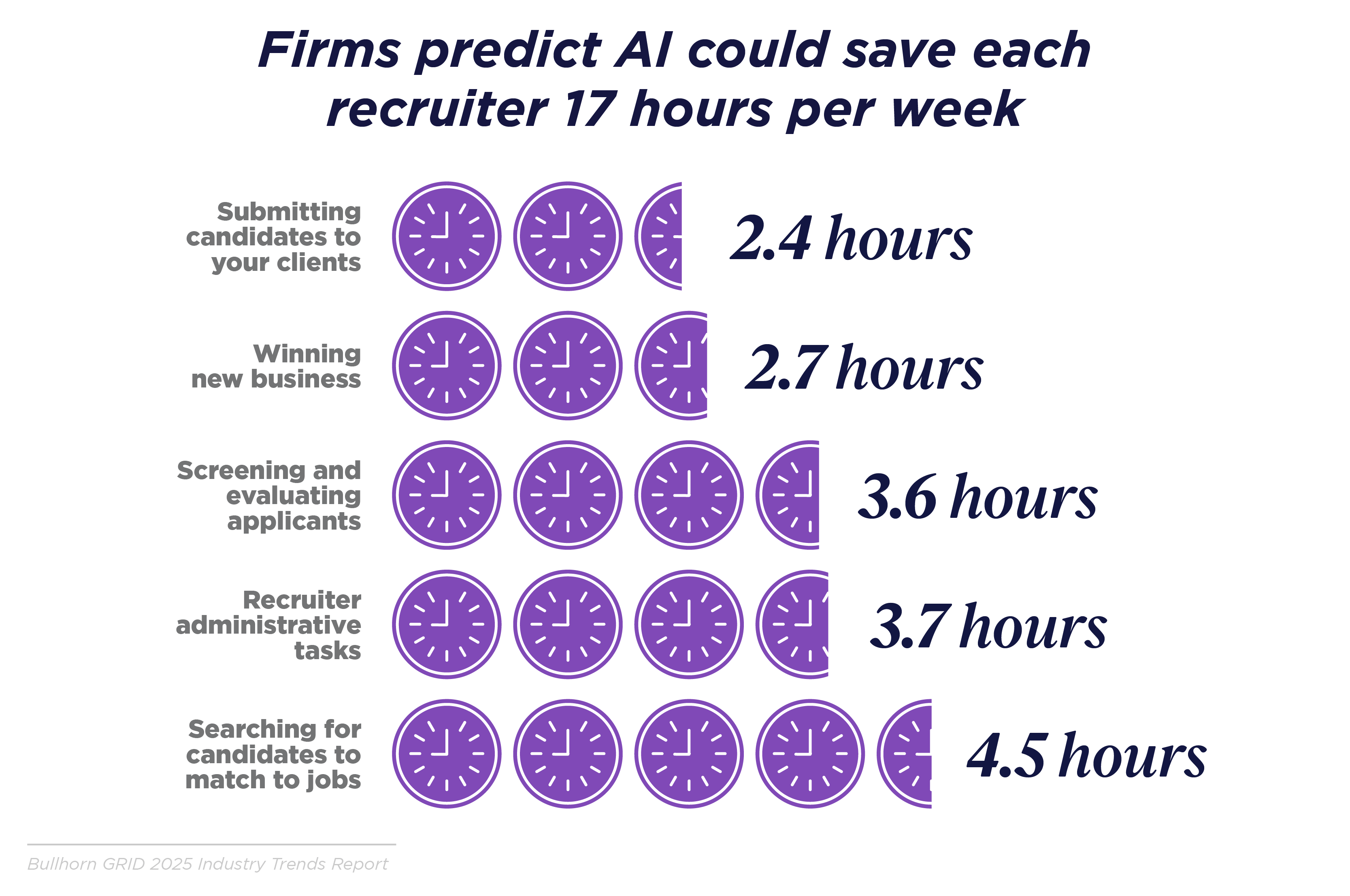
Manual admin is recruiters’ #1 productivity killer. In fact, recruiters spend an average of 3.7 hours per week on admin-related tasks, more than a third of their time.
This is likely why we’re seeing so many AI notetakers at meetings: recruiters are trying to reclaim their time. But not all of these tools are built intentionally for recruiters, meaning they’re missing a lot of dedicated functionality.
Below, we’ll explore 9 key factors to consider when choosing an AI recruitment tool.
Manually logging notes in 2026 is like sending faxes when everyone else is on Slack.

Both CoRecruit and SourceWhale sync notes to your ATS/CRM. CoRecruit updates fields, actions, and notes automatically, so you won’t have to lift a finger.
Comparatively, SourceWhale writes structured candidate data and custom fields into 70+ dedicated ATS/CRMs and can trigger follow-up actions post-call. However, it doesn’t trigger actions like automatically drafting branded candidate submittals.
Verdict: Choose CoRecruit if you want AI-driven notes, automatic field updates, and branded candidate submittals, and you're keeping your existing ATS. Go with SourceWhale if you're looking to consolidate onto a single platform and your primary focus is outbound campaigns.
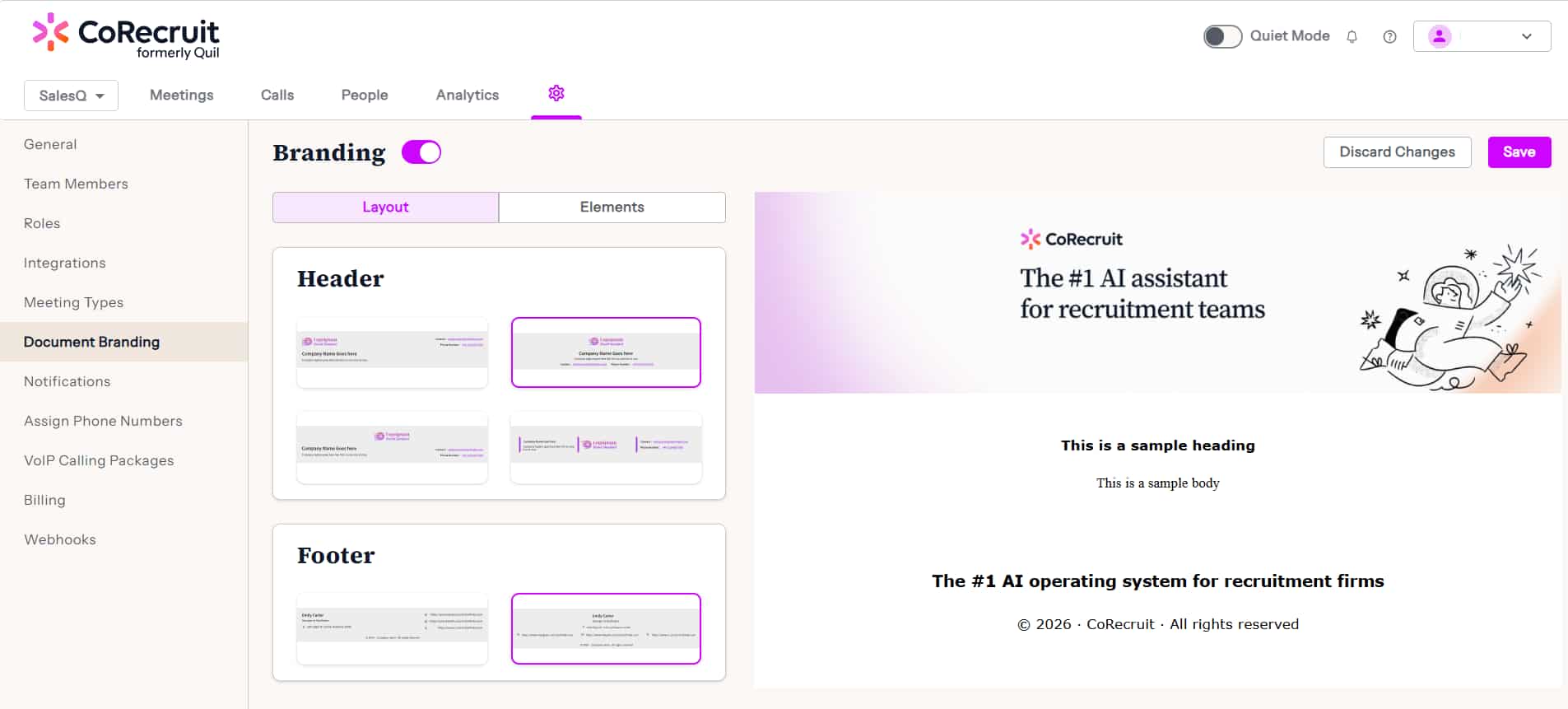
CoRecruit turns interviews into fully formatted candidate submittals in your company’s branding. Instantly. Tweak it and send it. Done in minutes. CoRecruit also automatically pushes the finished submittal directly into your ATS.
SourceWhale generates AI candidate summaries with branded formatting and resume parsing that can be shared with clients. =
Verdict: Choose CoRecruit if you want branded candidate submittals generated instantly from the call and pushed directly to your ATS.
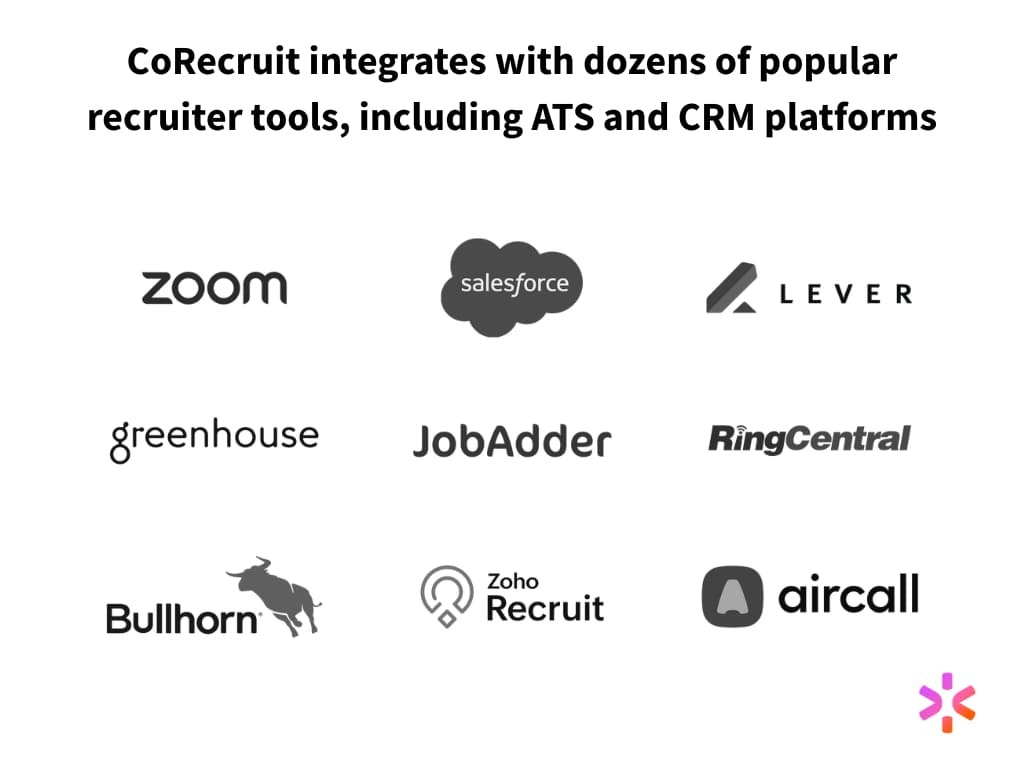
CoRecruit connects to more than 40 dedicated ATS and recruitment tools — Bullhorn, JobAdder, Greenhouse, and more — and sources candidates externally across 20+ data providers with no separate tool required.
SourceWhale integrates with 70+ ATS/CRMs and data enrichment providers, covering candidate management and outbound sourcing workflows.
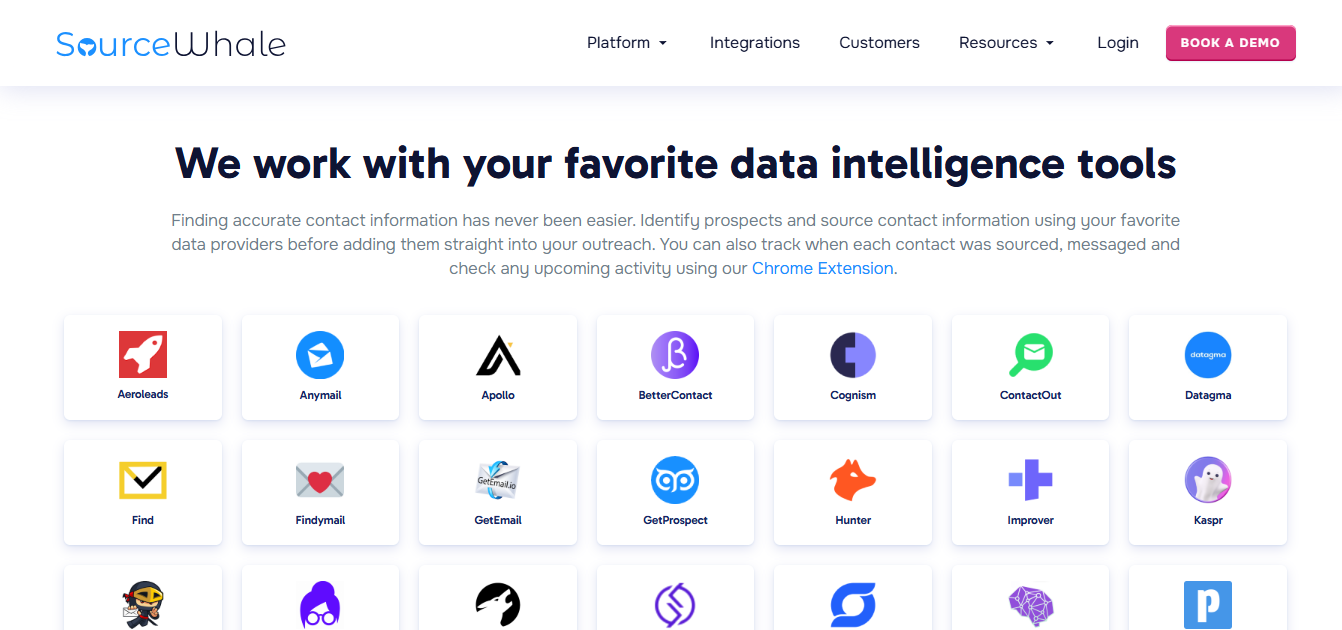
Verdict: Go with CoRecruit for recruitment-specific integrations — 40+ dedicated ATS and recruitment tools, plus sourcing and enrichment across 20+ data providers, all built in. Choose SourceWhale if you want outreach, CRM, and pipeline management consolidated in one place.
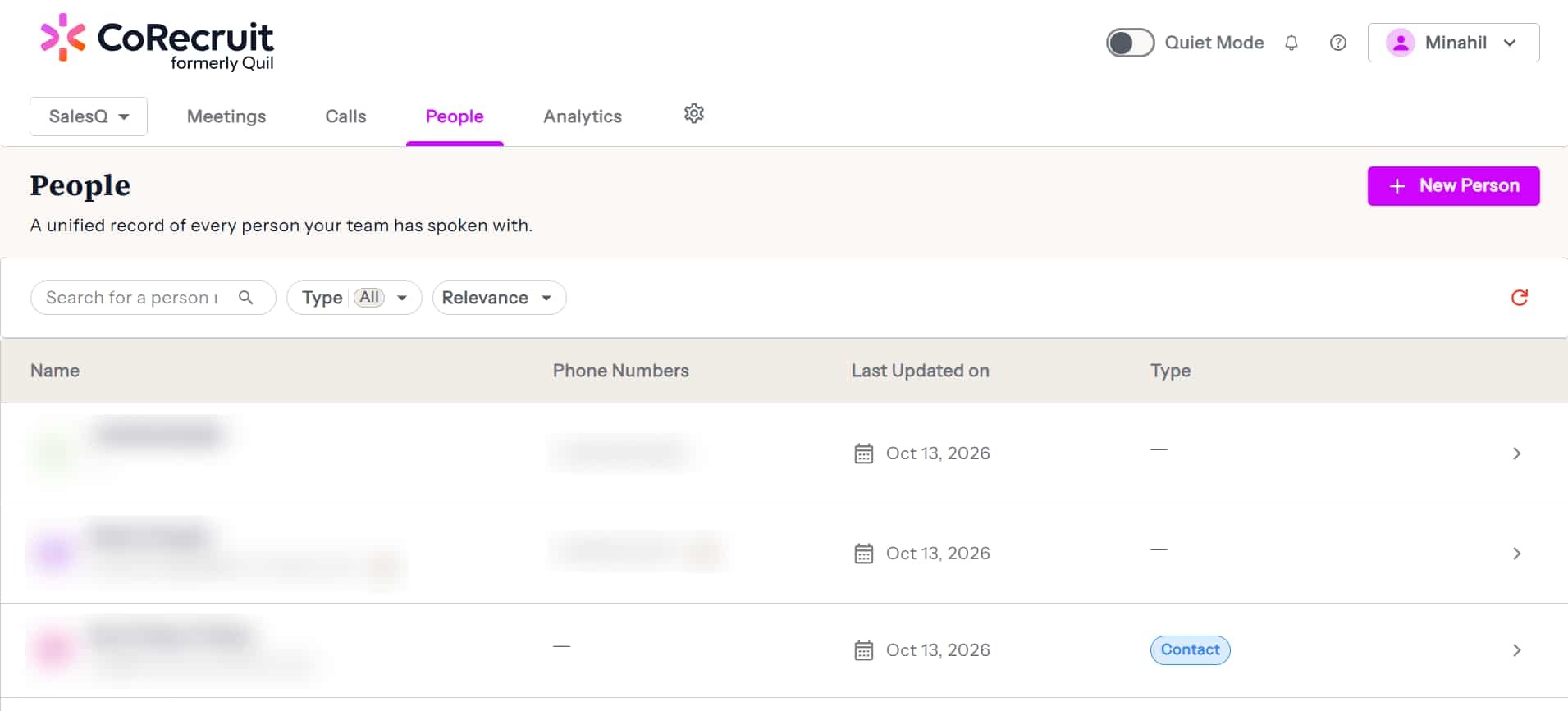
CoRecruit now sources across 1.5B profiles. When the right candidate isn't already in your ATS, CoRecruit waterfalls across 20+ data providers to find them externally — verified and ready. Search filters are drafted automatically from your intake call transcript or job description.
On enrichment: CoRecruit cross-checks verified emails and phone numbers across 20+ providers for both candidates and clients. Personal contact details included. The find rate is 80%.
SourceWhale also has sourcing and enrichment built in, with verified contact data from leading providers and a Data Refresh feature to keep records current.
Verdict: Both platforms offer sourcing and enrichment. CoRecruit's edge is the auto-drafted search from your intake call or JD, the waterfall across 20+ providers, and transparent pricing at $99/user/month all-in.
CoRecruit adds summaries and categories that sync directly with your ATS. The goal? Give your team immediate context, without having to pore over entire meeting transcripts.
CoRecruit also enriches profiles with smart summaries and categorized notes.
SourceWhale logs structured notes, making it easy to review what was discussed in a call. However, it doesn’t score candidates or categorize them by stage.
It also provides structured notes, but doesn't customize them to candidate stages or scoring fields.
Verdict: For recruiters who need instant context, candidate scoring, and stage-based summaries synced to the ATS, CoRecruit is the clear winner. SourceWhale helps with basic call notes, but lacks deeper customization.
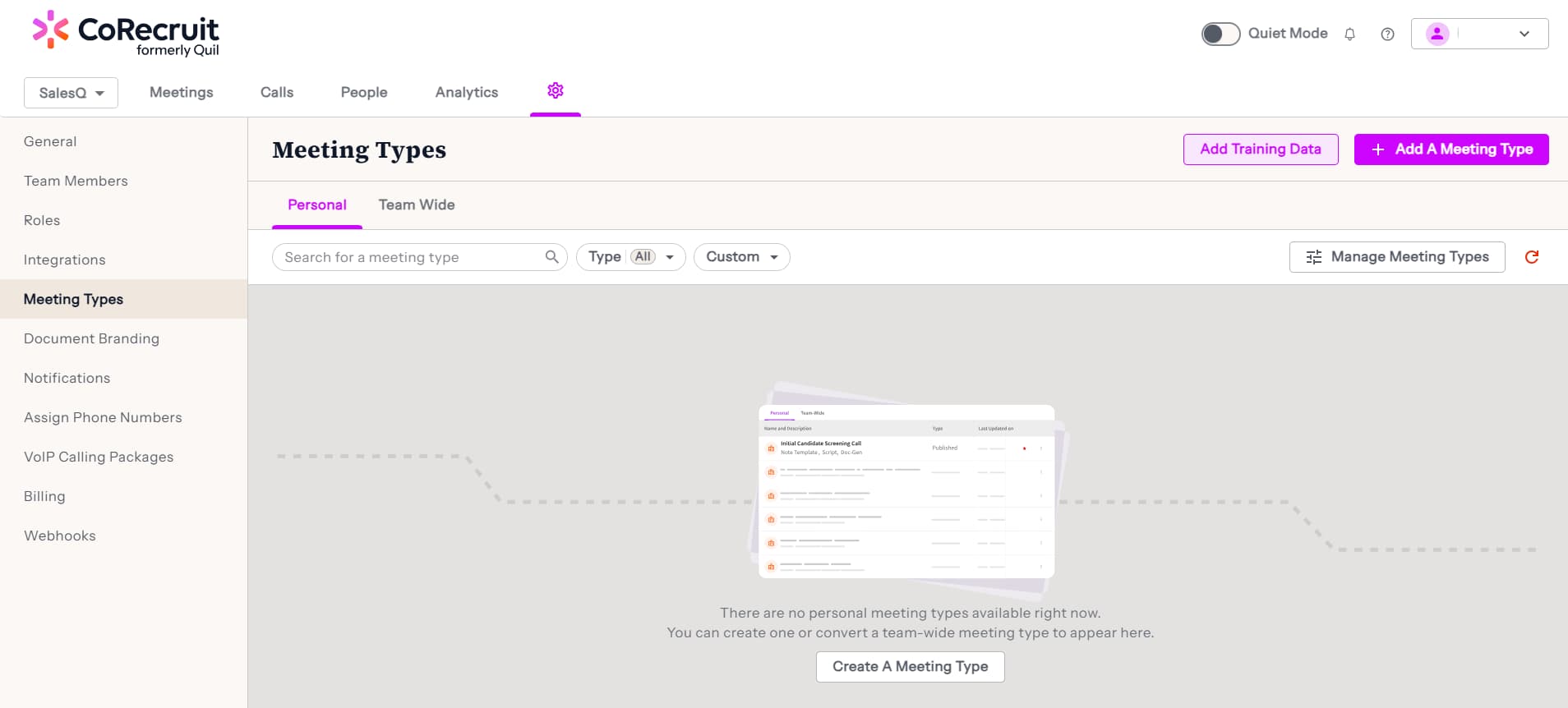
Meeting types refer to specific categories of interactions designed for different stages of the recruitment process. For instance, reference checks, intake calls, or onboarding.
For each of these, CoRecruit allows you to customize the call objectives, summary structure, and key takeaways. It also offers an unlimited number of custom meeting types, so your team can build dedicated templates specific to your team. Each one comes with prompts, categories, scripts, and formatted outputs.
Under meeting types, there are 4 different aspects:
Here’s an idea of what purpose these meeting types in CoRecruit serve and how they fast-track your hiring process.
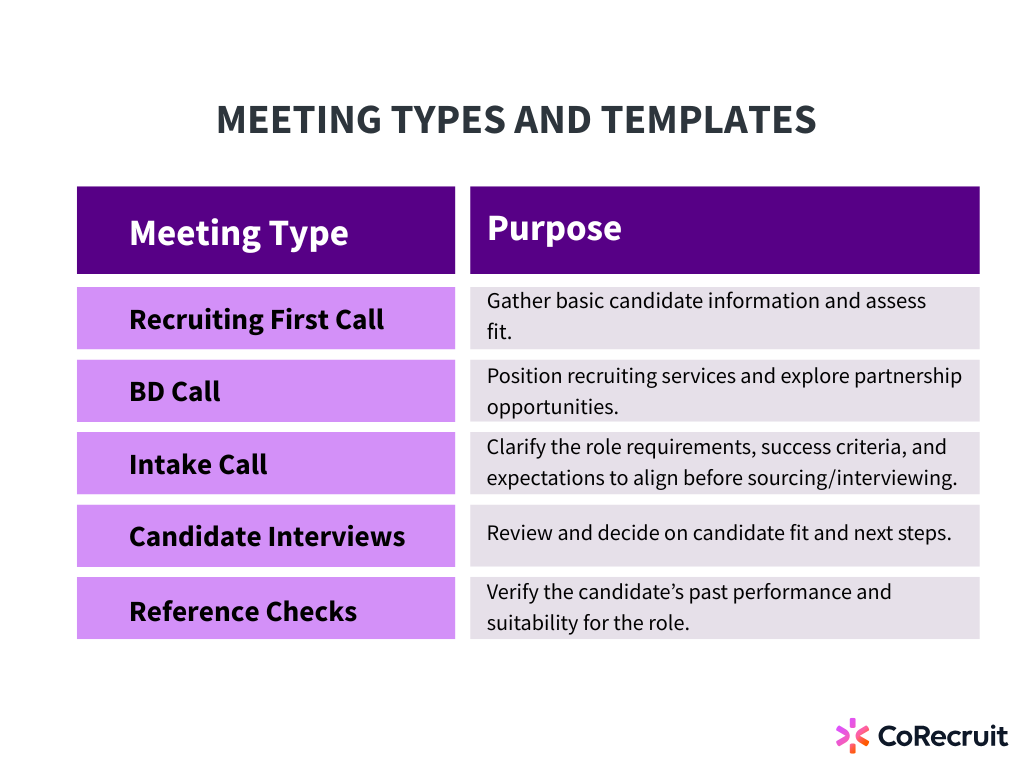
Both platforms auto-detect meeting types. Where CoRecruit goes further is what's built into each template: note categories, scripts, and follow-up materials are all tied to the meeting type, so the right structure is ready the moment the call ends.
SourceWhale offers default templates: Summary & Actions, Candidate Screening, and Role/Intake Brief, plus unlimited custom templates that users and teams can build, edit, and share.
Verdict: If you want customizable meeting types with built-in scripts, note categories, and automated docs for every stage of the recruitment process, choose CoRecruit. SourceWhale works if you don't need the depth of scripts, note categories, and follow-up materials built into each template.
Both tools are recruiter-friendly.
CoRecruit shows meetings, call recordings, submittals, and analytics, all in one place. SourceWhale keeps your sequences, inbox, and Notetaker accessible in one simple UI.
Both platforms are easy to use. CoRecruit’s layout is focused on recruiting workflows. SourceWhale focuses more on outreach and engagement flows.
Verdict: It’s a tie :) Both platforms have an amazing, user-friendly interface.
AI is smart, but you’re smarter.
Maybe you want to change something because AI lacks the ability to understand context or nuance like a human. Or maybe you might like to add a few other pointers outside the AI notetaker’s domain.
Thus, customization is important, and both of these AI recruiting platforms offer this.
However, there are some differences.
With CoRecruit, customization is really easy:
With SourceWhale:
Verdict: If flexibility and stage-specific templates matter to your workflow, CoRecruit gives you far more room to customize. SourceWhale offers flexible templates, but without the built-in scripts, note categories, and follow-up materials that CoRecruit ties to each meeting type.
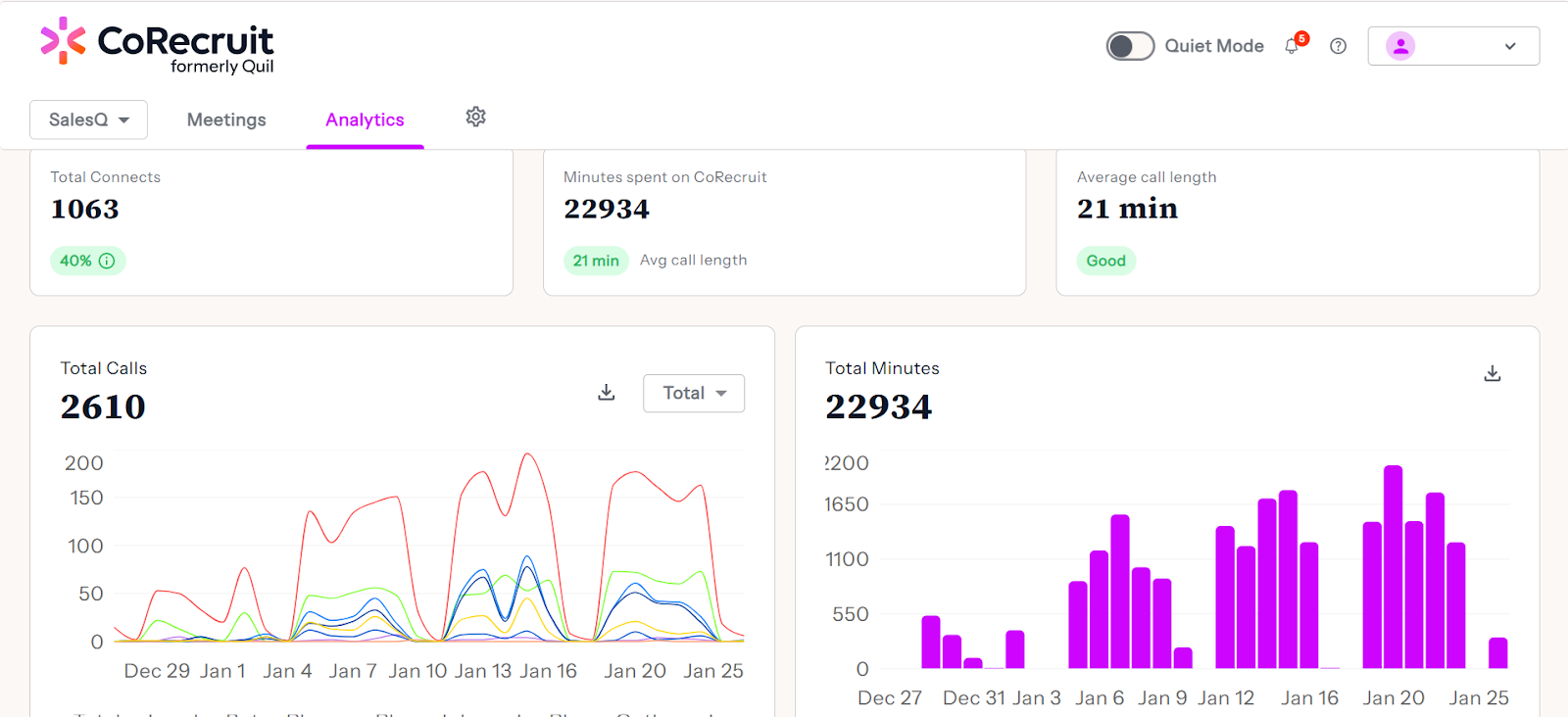
If you can’t track it, you can’t improve it.
CoRecruit has a built-in analytics dashboard that shows you recruiter call time, submittal counts, top performers — you name it.
SourceWhale provides analytics focused on outreach and BD. There’s much less focus on recruiter performance, more on overall pipeline motion. While CoRecruit tracks recruiting-specific metrics (calls, connects, time saved, etc), SourceWhale focuses on analytics for outreach performance.
Verdict: SourceWhale is better suited for teams tracking outreach and pipeline activity. For recruitment-specific analytics like call time, connects, and submittals, CoRecruit gives you the insights you need to optimize hiring.
CoRecruit is fully platform-agnostic. It works anywhere:
SourceWhale's notetaker works across Zoom, Teams, and Google Meet, plus its native VoIP and third-party dialers like RingCentral. Where CoRecruit pulls ahead is mobile and cell phone calls, and in-person interviews.
Verdict: Both platforms cover video, VoIP, and mobile. CoRecruit's edge is botless recording across all of those channels, plus in-person interviews.
Choosing the right AI recruitment tool comes down to how your team works and what you’re optimizing for.
If your day revolves around interviews, candidate submittals, and keeping your ATS clean, CoRecruit is built for you.
CoRecruit is trusted by 1,000+ staffing agencies and executive search firms to automate the full post-call workflow — botless recording, ATS updates, branded submittals, sourcing across 1.5B profiles, and waterfall enrichment across 20+ providers — saving recruiters 8+ hours a week, all at $99/user/month.
If your team is outbound-heavy and pipeline management is the priority, SourceWhale fits well.
In short:
Both tools boost recruiter productivity, but in different ways.
We’ve covered everything you need to know when choosing between CoRecruit and SourceWhale.
The final decision? That depends on your firm’s workflow, team setup, and where you spend the most time.
Disclaimer: This comparison is based on product information available at the time of writing. While we aim to keep it accurate and current, features may change over time.
.svg)

%20LG.svg)

.svg)