
AI in Recruiting
CoRecruit Team
Last updated:
April 2026
Read time:
10
mins
Automated recruiting is reshaping how hiring teams operate.
But there’s one tool that quietly boosts hiring speed and quality without overhauling your entire process: the AI notetaker.
Because manually jotting down notes or constantly worrying about ATS updates doesn’t help.
Especially when you have tools to remove those blockers.
That’s why 85% of recruiters believe in AI’s usefulness to help replace some mundane parts of the hiring process.
Like notetaking or creating candidate write-ups.
Tools like AI notetakers (designed and created specifically for recruiters) help with this goal.
In this guide, you’ll find answers to:
It’ll help you figure out exactly what to look for when choosing the right AI notetaker for your team.
There are 55 million meetings held each week in the U.S. alone. That translates to folks spending hours in meetings and still having no idea what happened during them.
Like any other team, hiring teams face the same problem - hopping between intake calls with hiring managers, candidate interviews, internal calls, etc. Without a proper system to capture those conversations, important details can never make it through.
Nobody has time to rewatch entire meeting recordings just to find a few important points.
That’s why we’ve seen a huge surge in AI notetaking apps, especially for recruiters.
Beyond sourcing and screening candidates, recruiters now manage employer branding, candidate experience, compliance reporting, and ATS hygiene.
All while trying to move fast enough to land top talent.
Manual processes simply can’t keep up.
Thus, automating repetitive tasks can save 8+ hours/week for recruiters.
An AI notetaker aids this process by:
When notes are manually written… or worse, remembered days later… important candidate insights get lost (like our team highlights in the podcast).
Without the accurate information, it’s hard to make a confident, fast decision. And slower decisions mean losing candidates: top talent stays available for an average of just 10 days.
The gap between interview and action must be as short and efficient as possible.
That’s where AI notetakers help: ensuring you have every bit of information ready to make an informed hiring decision.
A modern AI notetaker for interviews doesn’t just transcribe conversations.
It structures, summarizes, and syncs information where it needs to go (more on this in the next section).
The result: recruiters save hours each week, candidates move through pipelines faster, and hiring managers get better information to make decisions.
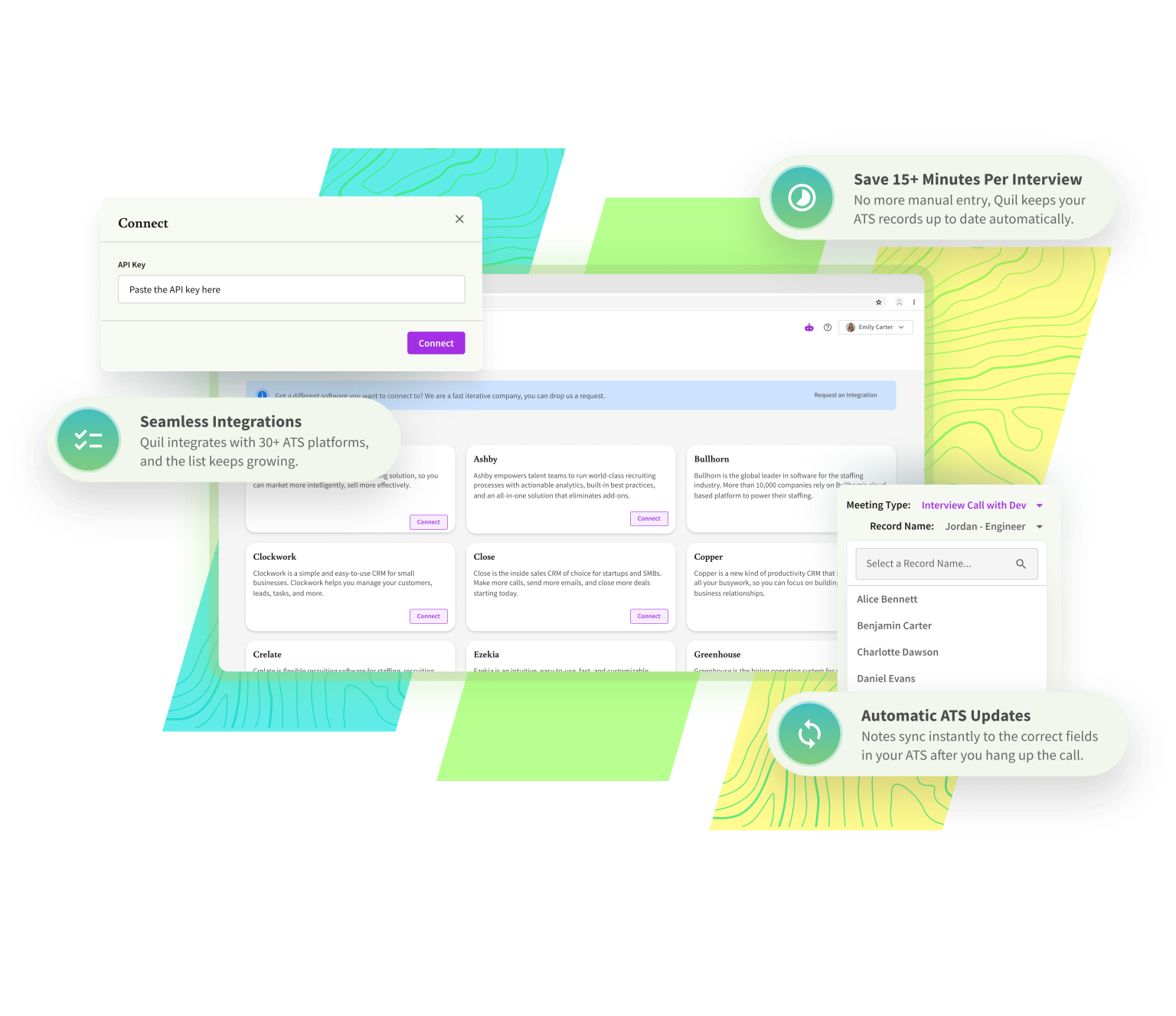
The ATS integration has to talk to your stack. Because if your AI notetaker (if you’re using one) doesn’t integrate with your ATS, you’re signing up for double work.
Look for integrations that:
Recruiters shouldn’t have to retype what their tools have already captured.
Transcripts are not notes. They’re data dumps. Even meeting summaries can’t help if the notetaker doesn’t understand what you’re talking about.
What to expect from a good AI notetaker:
Your notes should be as easy to skim as they are to search.
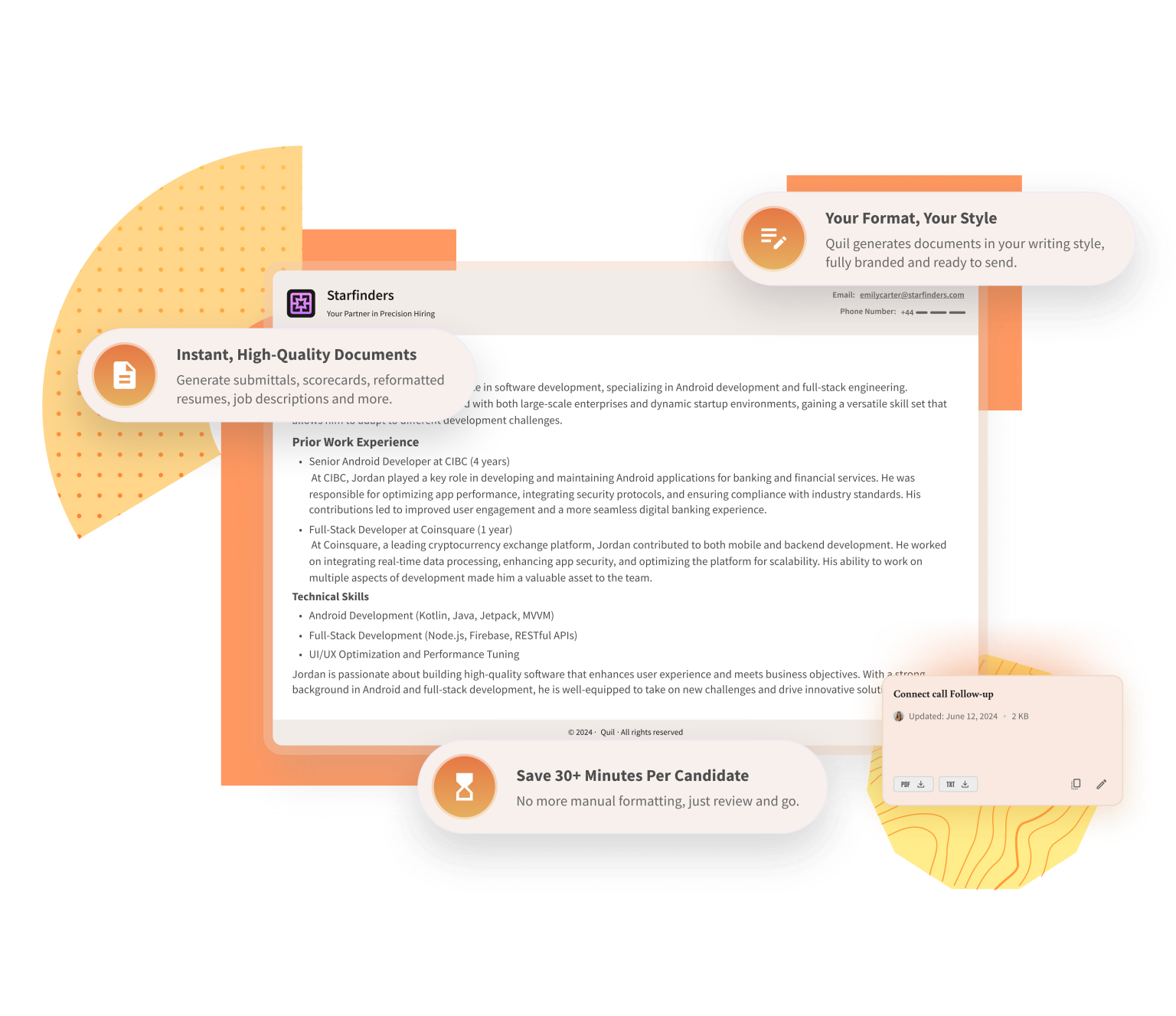
Submittals are one of the most time-consuming recruiter tasks.
An AI notetaker should help you get:
Bonus: Finished write-ups are pushed into your ATS, ready to be sent. No extra clicks.
CoRecruit lets you generate scripts automatically using prompts, directly inside your meeting types.
Just paste in up to 4,000 characters (like a job description or prep notes), and CoRecruit will turn it into tailored talking points for interviews, screenings, or sales calls.
No manual scripting. No formatting hassle.
Just smart, structured prompts that help you stay on track and sound like you.
The best AI notetakers don’t require a 20-page onboarding manual (a good knowledge base does the job right).
Look for tools that plug into your stack and just work… with minimal IT lift.
Recruiters should be able to go from “login” to “first notes synced” in under an hour.
Here are a couple of other features you should look for:
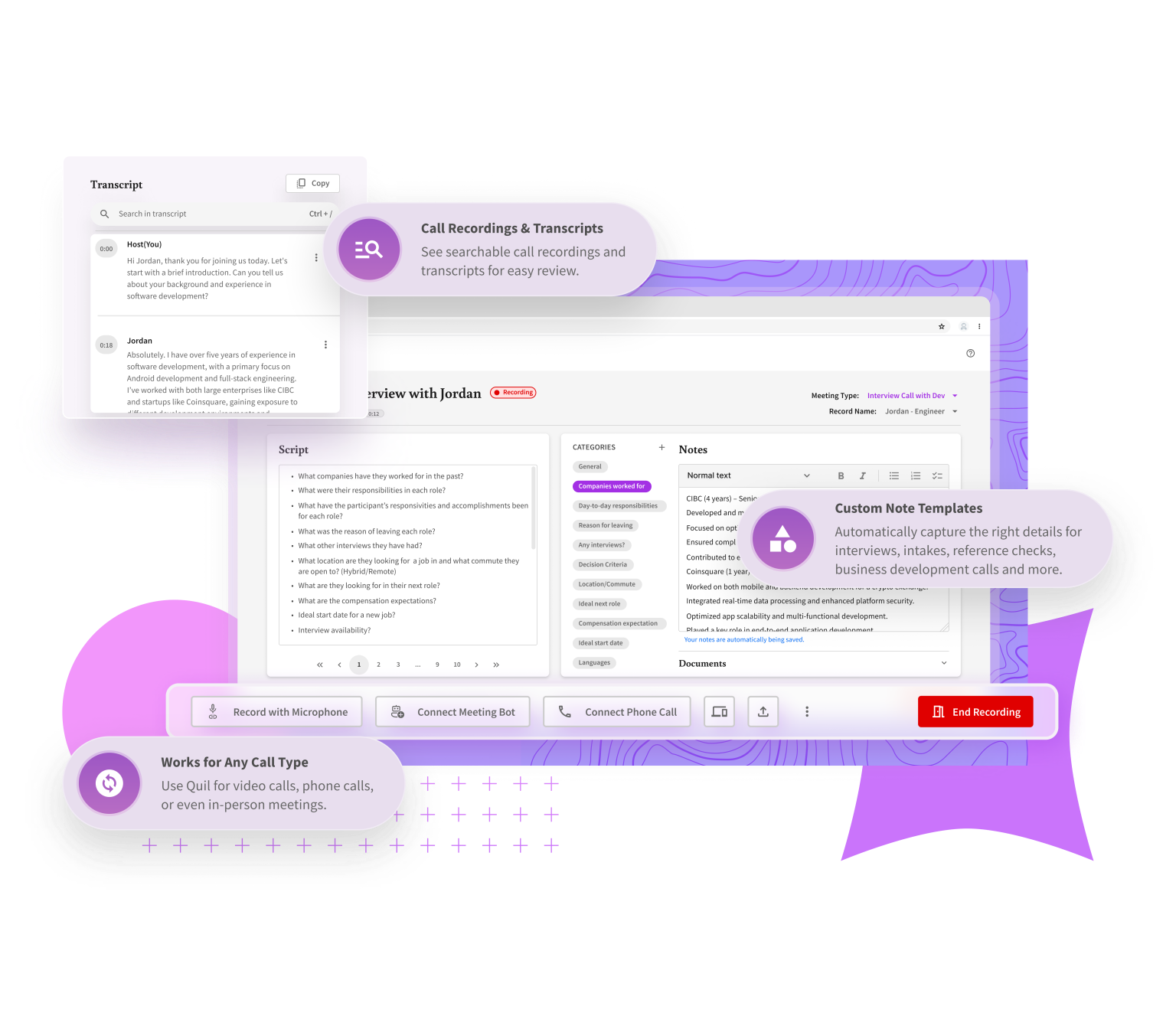
Recruiters already juggle interviews, updates, and hiring manager check-ins.
Your AI notetaker should feel like a natural extension of that workflow. And not a chore to manage.
Intuitive UX, simple editing, and zero friction should be standard.
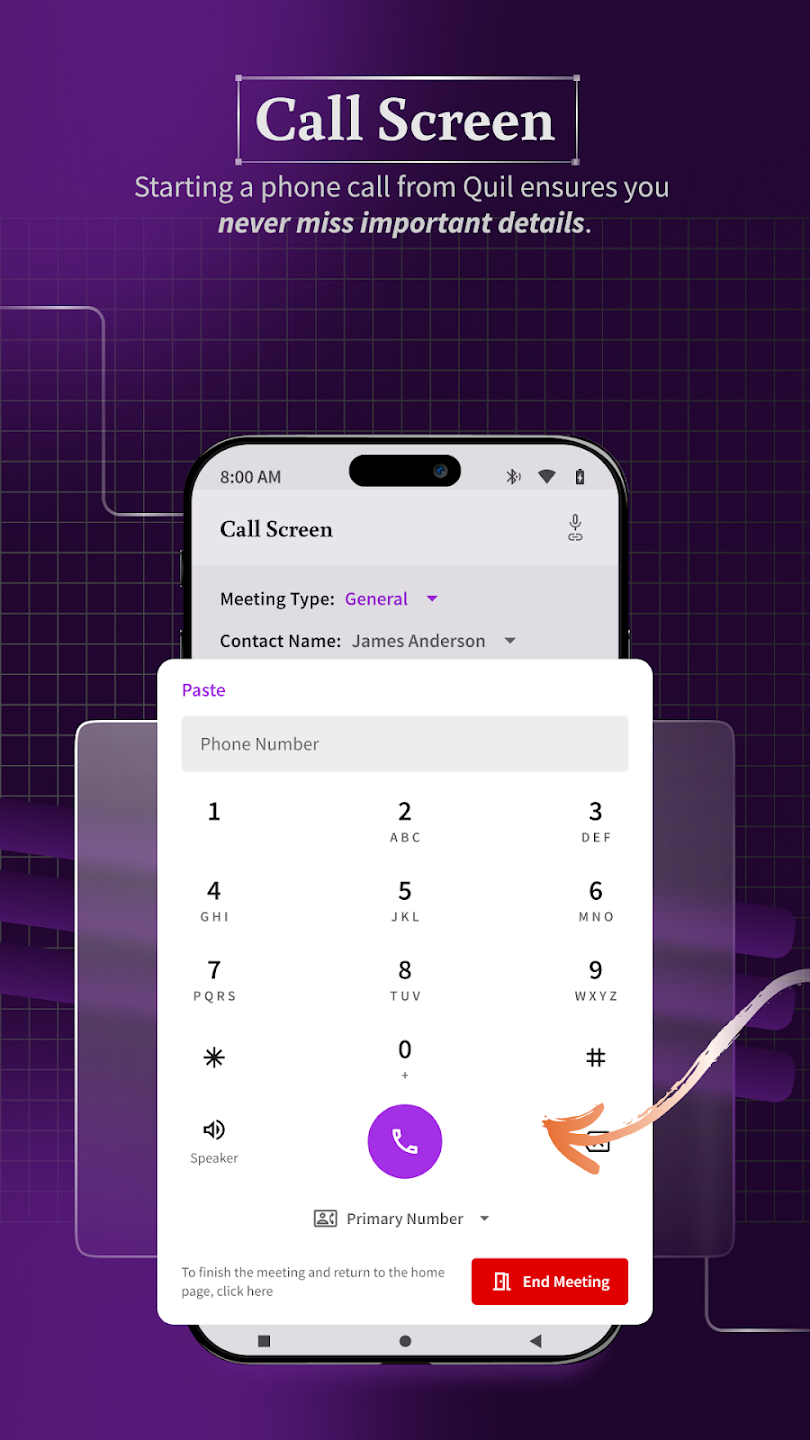
Recruiting is no longer confined to your laptop.
Whether you're between calls or reviewing notes in transit, mobile access is extremely useful.
That’s why smart tools give recruiters full visibility and editing control… anytime, anywhere.
Candidate conversations often include personal details: work history, salary expectations, even medical or family context.
If your AI notetaker isn’t secure, you’re exposing more than just notes. You’re betting on the trust of the 100s and 100s of folks using your platform.
Compliance isn’t optional. It’s a reason why privacy laws like GDPR have real consequences (think fines up to €20M under GDPR).
Your AI notetaker must handle this by default.
Because security shouldn’t revolve around avoiding consequences - it should be about credibility.
Recruiters who respect candidate data build stronger relationships and reinforce their employer brand.
AI notetakers for recruiting are typically priced in one of three ways:
CoRecruit offers both solo and scaled options - with custom tiers available for teams of any size.
You get unlimited meetings, full ATS/CRM integrations, and no per-call upcharges (bonus for recruiters who use a phone).
And the added advantage in terms of ROI:
The average recruiter using CoRecruit saves 8+ hours a week.
That’s nearly 35 hours a month of admin time - automated.
At just $59/month for solo plans (with a 7-day trial), your return pays off before week one ends.
If it only provides raw transcripts with zero structure, tagging, or recruiter-focused features, it’s not a true AI notetaker.
If you still have to copy-paste notes or manually update candidate records, you’re back to square one. Look for automatic syncing.
You should be able to refine, format, and brand your notes. If the tool doesn’t let you edit or use your own templates, skip it.
If it wasn’t built with recruiting use cases (like submittals or scorecards) in mind, it won’t fit into your workflow.
AI notetakers aren’t just about recording what was said.
They’re about accelerating how hiring gets done.
When chosen well, they reduce friction across the entire funnel.
That means you can focus on more quality conversations. Better placements. And better client outcomes.
So before you decide, ask:
And you can always start with a free trial to see if the AI notetaker meets your expectations 😉
.svg)


%20LG.svg)

.svg)


