
Product Updates

CoRecruit Team

Last updated:
April 2026
Read time:
8
mins
Recruiters use tons of tools every day. On average, you’d find yourself using at least 4 tools to source candidates. At CoRecruit, we make sure we meet recruiters where they are already.
Hence, we partner with other amazing recruitment software and bring you a powerful duo that makes recruiting a breeze. Our latest integration, CoRecruit x Manatal, shares the same vision.
Manatal is an amazing platform trusted by 10,000+ recruitment teams. With CoRecruit's integration, we’re taking AI notetaking, updating your ATS, and creating amazing write-ups to share with the entire team.
Let’s see what the integration brings.
CoRecruit isn’t an ordinary AI assistant - it’s built specifically for third-party recruiters, has amazing features that make recruiters feel like superheroes, and places candidates faster.
What it does:
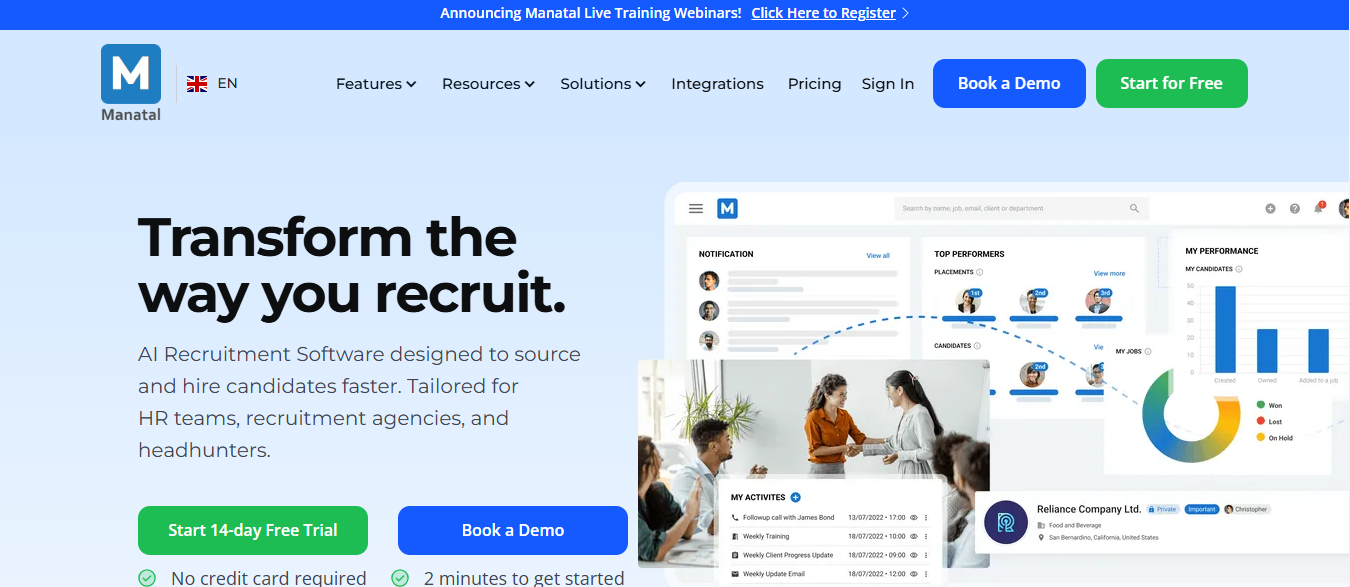
Before we go deeper into what the integration offers, here’s a quick glance at what features the integration currently supports:
Manatal is an AI-powered recruitment software designed for HR teams, recruitment agencies, and headhunters. That means anyone and everyone from the recruitment industry benefits from the software to source and hire candidates fast.
By integrating CoRecruit AI with Manatal, you transform the way you recruit - literally.
The table above shows that parts of the recruitment process accelerate when you use CoRecruit and Manatal together.
And here’s more detail on what these features bring:
The features change with every integration. The same goes for Manatal x CoRecruit. Here’s what to expect from the current version:
Manatal has an option where users can store “notes”. CoRecruit automates that process by syncing meeting notes to the relevant candidate records in Manatal.
That means you won’t be dealing with redundant work, and all the notes for each candidate will be pushed automatically.
Plus, you won’t have to worry about missing out on any important details.
This is where CoRecruit blows your mind - because it’s just not an AI assistant - it’s built with recruiters in mind and make their lives easier.
When you’re done with a meeting, Quil takes the recorded transcript, uses the relevant information, and populates the important database fields.
As an example, fields like "Current Position," "Current Company," and "Latest Degree" are updated automatically. And if you’re interviewing dozens of candidates every week - that manual data entry is definitely something you’d want to leave out.
Another point of concern for recruiters is preparing those tedious documents to share with the hiring manager. Or the entire team.
You’re probably spending 30 minutes drafting those write-ups, looking for key information about the candidate, and formatting everything together.
And folks at CoRecruit know it’s a problem recruiters don’t want to have. That’s why it has a solution: when you’re done with an interview, CoRecruit generates a meeting summary, comes up with a write-up, and links that to the relevant candidate profile in Manatal.
If that blows your mind, you’ll be blown away with a demo. Try it. It’s free for 7 days!
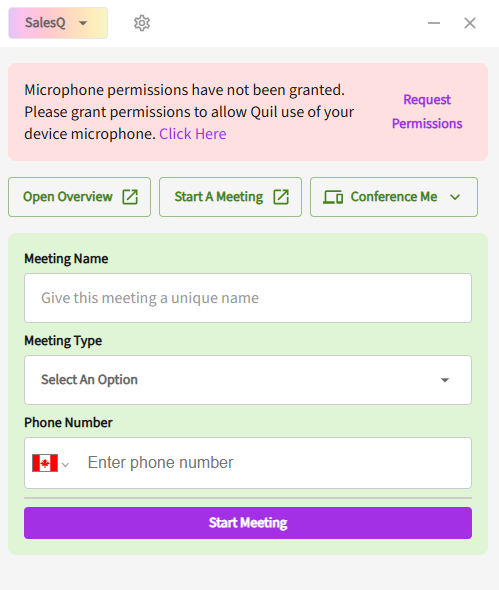
Chrome extensions make using an app 10x easier. With that in mind, CoRecruit's Chrome extension helps link every feature CoRecruit has and integrate it with any recruitment software.
For instance, if you’re using Manatal, CoRecruit will show up in the browser, and you won’t have to toggle between platforms.
While CoRecruit supports many features, activity types are not yet configurable with the Manatal integration.
But that won’t hold you back - this is just an added feature that will likely be introduced later.
Till then, you can sync notes, update ATS records, and attach candidate write-ups - with extreme precision.
If you’re reading this, you’re probably using Manatal, and CoRecruit wants to meet users inside the tools that they already have. Hence, the amazing integration.
Manatal is a great ATS option - it’s designed for modern recruitment teams, it’s AI-driven and boasts features like keeping your candidate pipeline healthy.
When you add CoRecruit to that recruitment software stack, the output quadruples.
Here’s how you can get started:
Step 1: Generate your API Key in Manatal:
To create that: go to Administration > Features > Open API.
And then contact Manatal support to retrieve your API Key.
Step 2: Open CoRecruit, go to Integrations, and select Manatal.
Enter the API Key to link your accounts.
Step 3: Test
Before you jump on an actual call, schedule a test meeting to see if notes are syncing to the right candidate profiles in Manatal.
The integration is for recruiters, of course.
AI notetakers make things a lot easier, but not every AI notetaker is built specifically for recruiters.
The CoRecruit x Manatal integration makes sure you don’t just make recruitment easier, you get to scale your outputs too. Think almost zero admin work, automatic Manatal updates, and a ton of other benefits - and you’ll want to jump on the bandwagon in a second.
If you’re not using any other recruitment software, we’d love to see if we can help. Check out our integrations list here and hop on a call to see the difference.
.svg)

%20LG.svg)

.svg)


