
AI in Recruiting

Josh Kirkham

Last updated:
November 2026
Read time:
11
mins
I ran a session for a recruiter community this week on MCP connectors, and the best question of the whole hour came in before we even started: what are the must-have AI workflows for a small firm?
Honestly, it's the question I get from almost every firm I talk to, right? Everyone knows AI is a big deal. Almost nobody knows where to point it first.
So here's the answer. I run operations at CoRecruit, which somehow also means I run our coaching, our go-to-market and our marketing, and one simple setup powers all of it: connect AI to the conversations your team is already having, then ask it good questions.
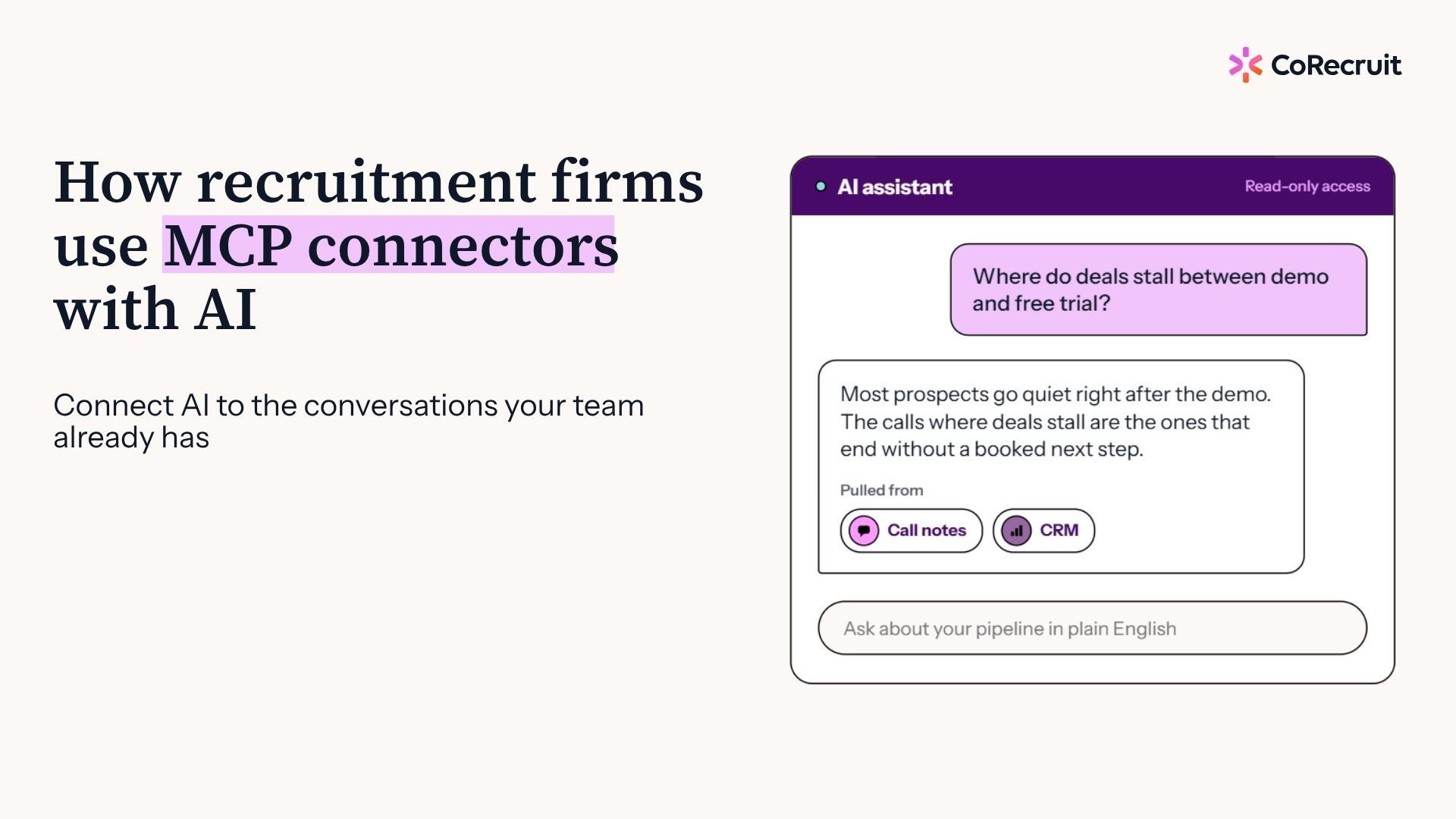
An MCP connector is a link that lets an AI assistant like Claude read information from the tools your firm already uses, such as call notes, your ATS, your CRM, email and your shared drive. Instead of pasting notes into a chat window, you ask a question and the assistant goes and gets the context itself.
What you can connect:
Setting one up is mostly a copy and paste job. You grab the server URL from your tool's knowledge base, add it as a custom connector in your AI assistant, log in, and you're connected. That's the whole thing.
The interesting part is what you do next.
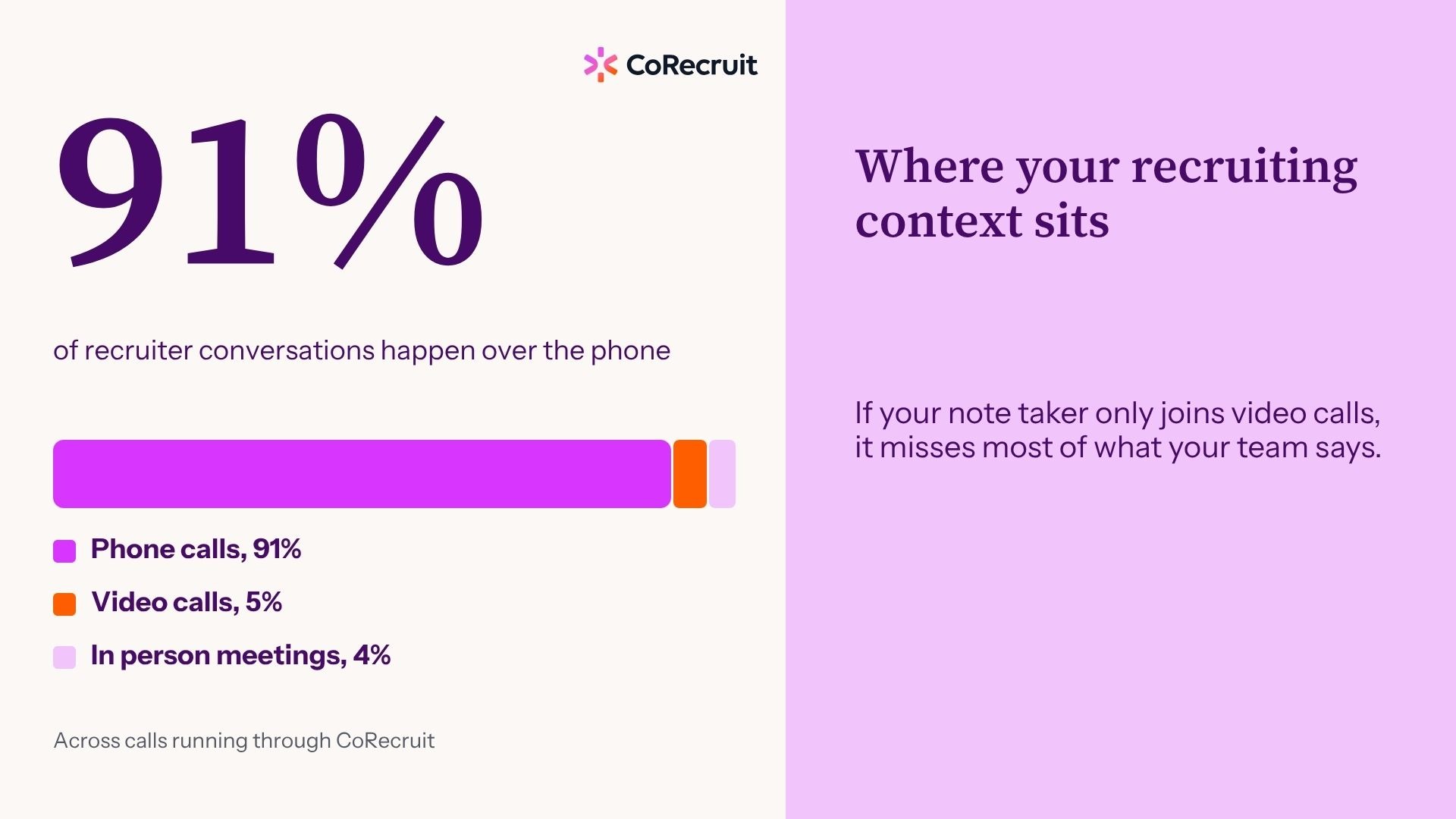
AI gives generic answers when it only knows what you typed into the prompt. A better model won't help with that, because the missing ingredient is your context: the calls, notes and conversations that make your firm different. Give the assistant that context and the output starts sounding like you instead of like AI slop.
Where your firm's context sits:
Models get better every few weeks, and I'm happy about that, but a smarter model doesn't automatically make AI more useful to your business. Context does. And if your note taker only joins video calls, it's missing the vast majority of what your team says all day.
That's the first thing I'd fix before building anything fancy.
It can be, if you start with read-only access. Read-only means the AI can pull information into the conversation but cannot edit anything inside your ATS, CRM or call platform. Start there, stay in control of what it can reach, and only add write permissions once you trust the workflow.
How to stay in control:
If you've never touched a connector before, please, please, please start with read-only. Write access is a different conversation, and a more nervous one. You can get a huge amount of value just from letting the AI read and answer questions.
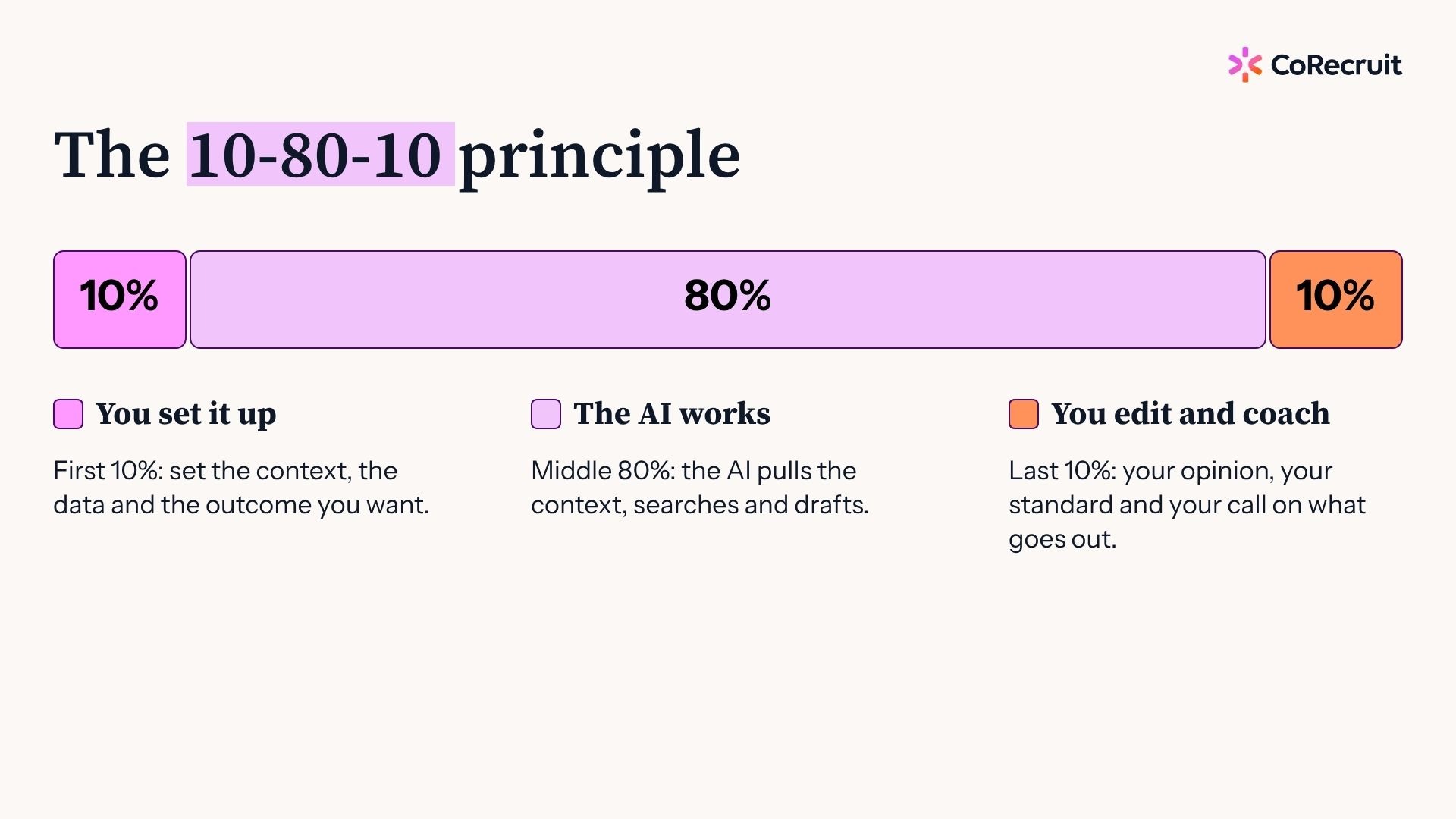
The 10-80-10 principle splits any AI task into three parts. You spend the first 10% giving context and describing the outcome you want, the AI does the middle 80% of the heavy lifting, and you spend the last 10% editing and coaching the result.
The three parts:
I borrowed this framework from much smarter people, and the last 10% is where all the value is. Think about hiring a new sourcer. Day one, you say, "find me ten candidates," and they come back with ten candidates. Some are great, some are hit and miss, and your job is to say this one is good because of this, that one is bad because of that.
AI is exactly the same. Tell it the outcome, show it an example of good, then coach it like you'd coach a person.
Because a business development call, an intake call and an interview all have different goals, and mixing them gives you muddy results. CoRecruit's MCP connector returns the meeting type along with the participants and context, so you can tell the assistant to pull only the calls that fit the job.
Match the call type to the job:
Ask for a coaching analysis without specifying the call type and you'll end up with reference checks scored against a sales scorecard. Nobody wants that.
Start with whichever one hits your biggest bottleneck, not all of them at once. For most firms the three strongest options are call coaching, market maps and content creation, because each one turns conversations you already have into something your team can use. Pick one, run it, then expand.
Three workflows worth starting with:
My background is building and leading sales teams, so I'm biased, but coaching is the one I'd start with. When I was a sales manager I'd spend a couple of days every week listening to calls and scoring them by hand. Now Claude pulls the week's business development calls, builds the scorecard and scores the team, and a report lands in our Slack channel every afternoon so reps get same-day feedback. Does that mean I stop listening to calls? Absolutely not. It tells me which calls deserve my time.
The content one saved me when I took over marketing at CoRecruit with zero marketing experience. Your team's conversations are full of questions and objections your future clients are also asking. That's content nobody else can buy.
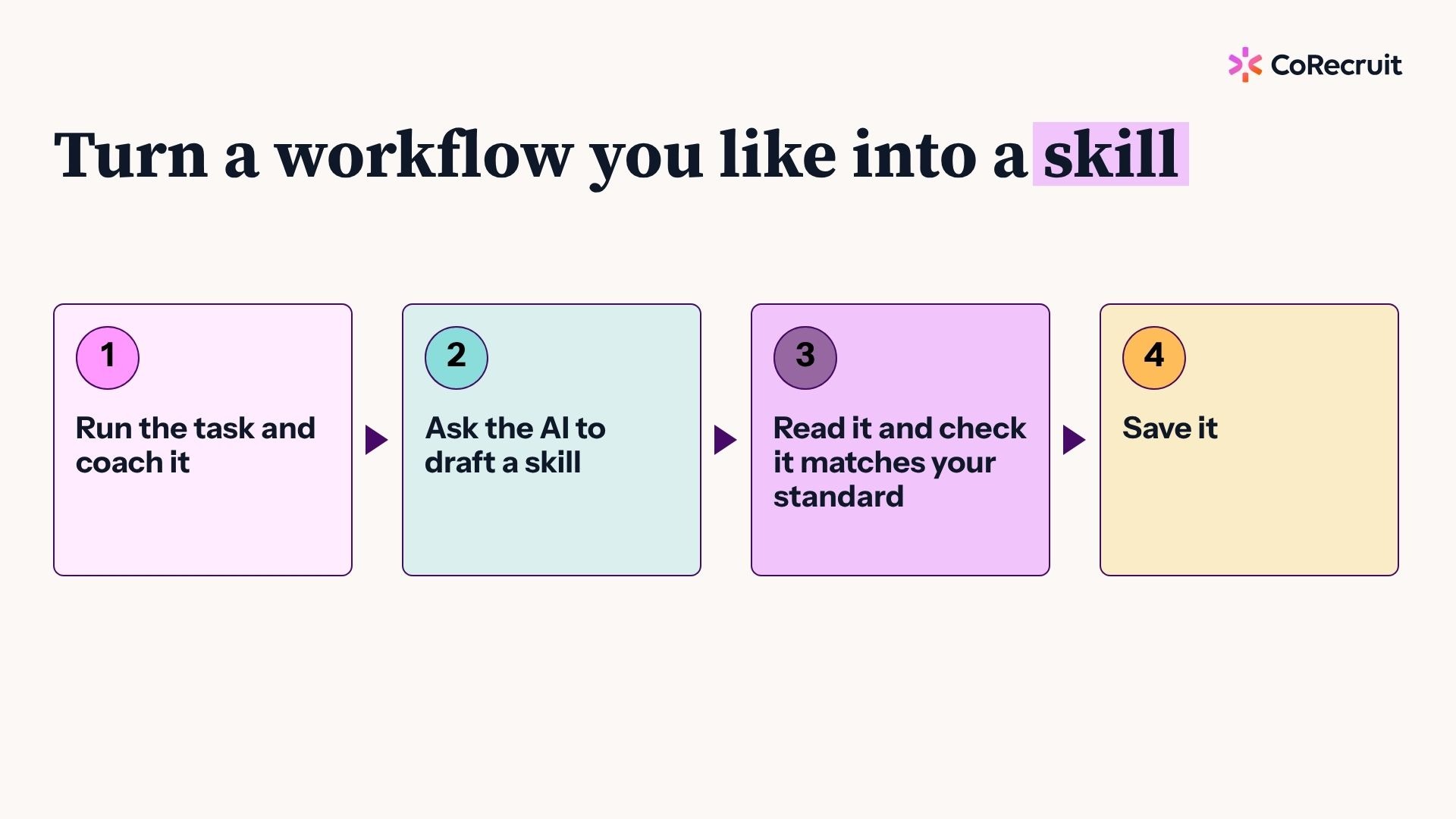
A skill is a saved set of instructions that tells your AI assistant how to do a task the same way every time. Once you get an output you like, ask the assistant to draft a skill from the work you just did, read it through, and save it. Next time, one request gets the same result.
How to build one:
Remember the scene in The Matrix where Neo gets plugged in and says, "I know kung fu"? A skill is that for your AI. And you don't even need to know how to write one. I have no clue how, so I ask the AI to do it, then audit the result. A good follow-up is to ask, "based on the work we're doing, are there any other skills worth making?"
Pick your single biggest bottleneck, connect one data source, run one audit, and compare the result against your team's baseline. Then ask the AI to draft a skill from what you just ran. Starting all three workflows at once is wildly intimidating, and it's how most people stall.
Your first week:
One more tip: talk to your AI instead of typing. Use the voice button on your desktop app or phone and just brain-dump what you want. You'll get better results faster than polishing a prompt, and it's a lot less painful.
This all compounds, too. Better calls raise your close rate at each stage, which sharpens your pitch, which gives you better stories to put out in the market, which brings in better-informed buyers, which makes the next call better. Ask the right questions of your own conversations and the flywheel keeps turning.
Josh Kirkham is VP of Operations at CoRecruit, where he leads operations, go-to-market, marketing, and coaching, and has built and led sales teams throughout his career.


