
AI in Recruiting

Minahil Mansoor

Last updated:
August 2026
Read time:
11
mins
Most recruiting leaders coach off a handful of calls a week, because listening to more than that just isn't possible. An MCP connector removes that ceiling. Point Claude, ChatGPT, or Gemini at your recruiting data through one, and you can score hundreds of calls in the time it used to take to review two.
Getting there depends on three things lining up first:
1. the right calls reaching your system
2. that data sitting in a structured format
3. and an AI recruiting assistant that can read the data.
This piece also breaks down a five-step method for building that system, which we walked through with TEAM, a network for recruitment business owners.
Let's get started.
Across CoRecruit's customer base, 91% of recruiter conversations happen over the phone, 5% happen on video, and 4% happen in person. A notetaker that only joins video calls is working from 5% of the picture.
This is why the channel a connector pulls from counts as much as the connector itself. If your coaching data source only sees Zoom and Teams calls, the scorecards built from it are missing nearly all of what your team actually does.
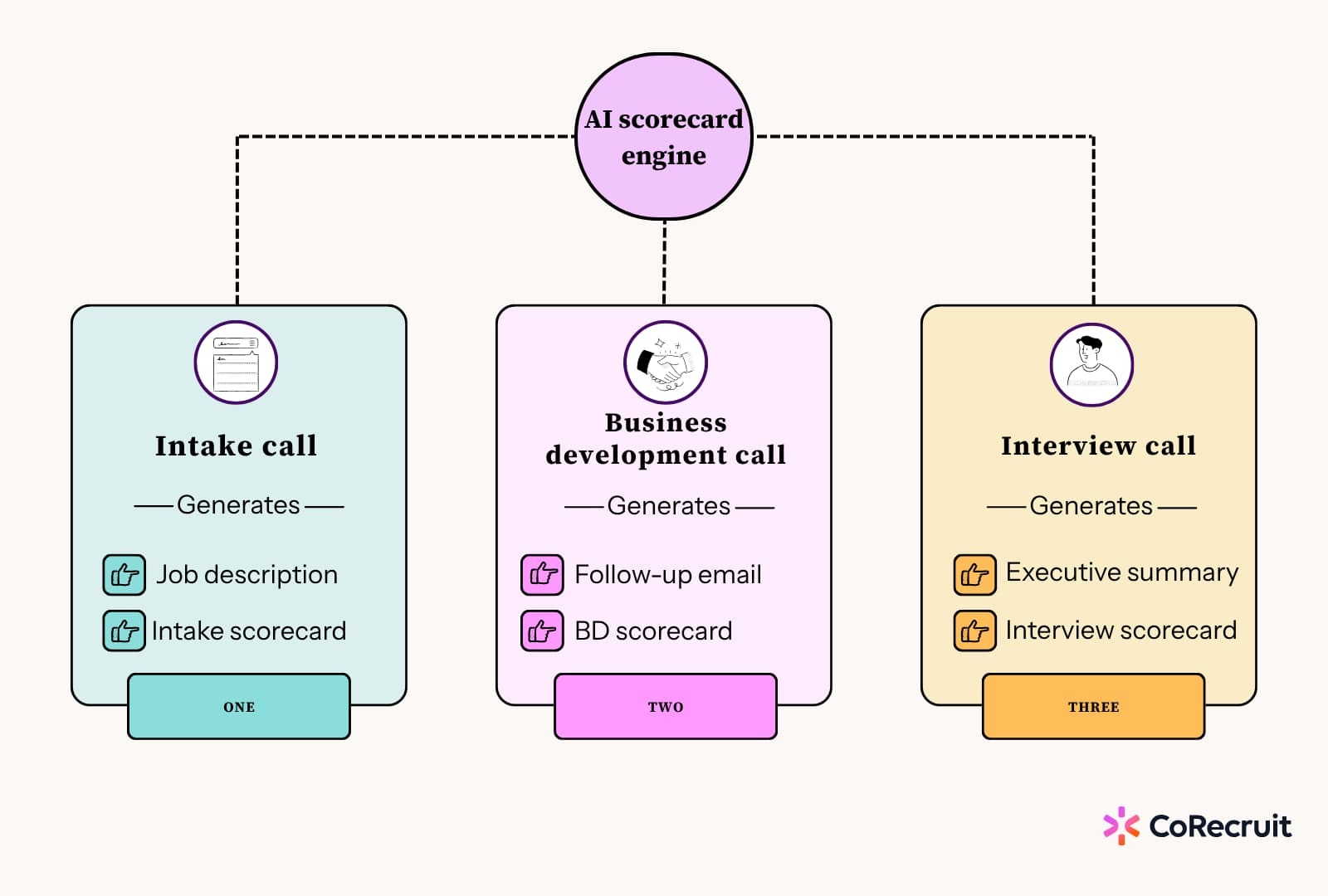
No. Not every call should be scored the same way. An intake call, a business development call, and an interview each need different context pulled out, and different follow-up documents produced afterward. A connector that understands meeting type can:
Skip this distinction and every report ends up scoring apples against oranges, which is the fastest way to make an otherwise solid framework look unreliable.
Coaching reports depend on call data sitting somewhere structured first. Two things need to happen: the data has to be in the ATS in a consistent format, and every call has to reach the system regardless of which phone it came from.
Getting structured data into the ATS:
Getting every call into the system:
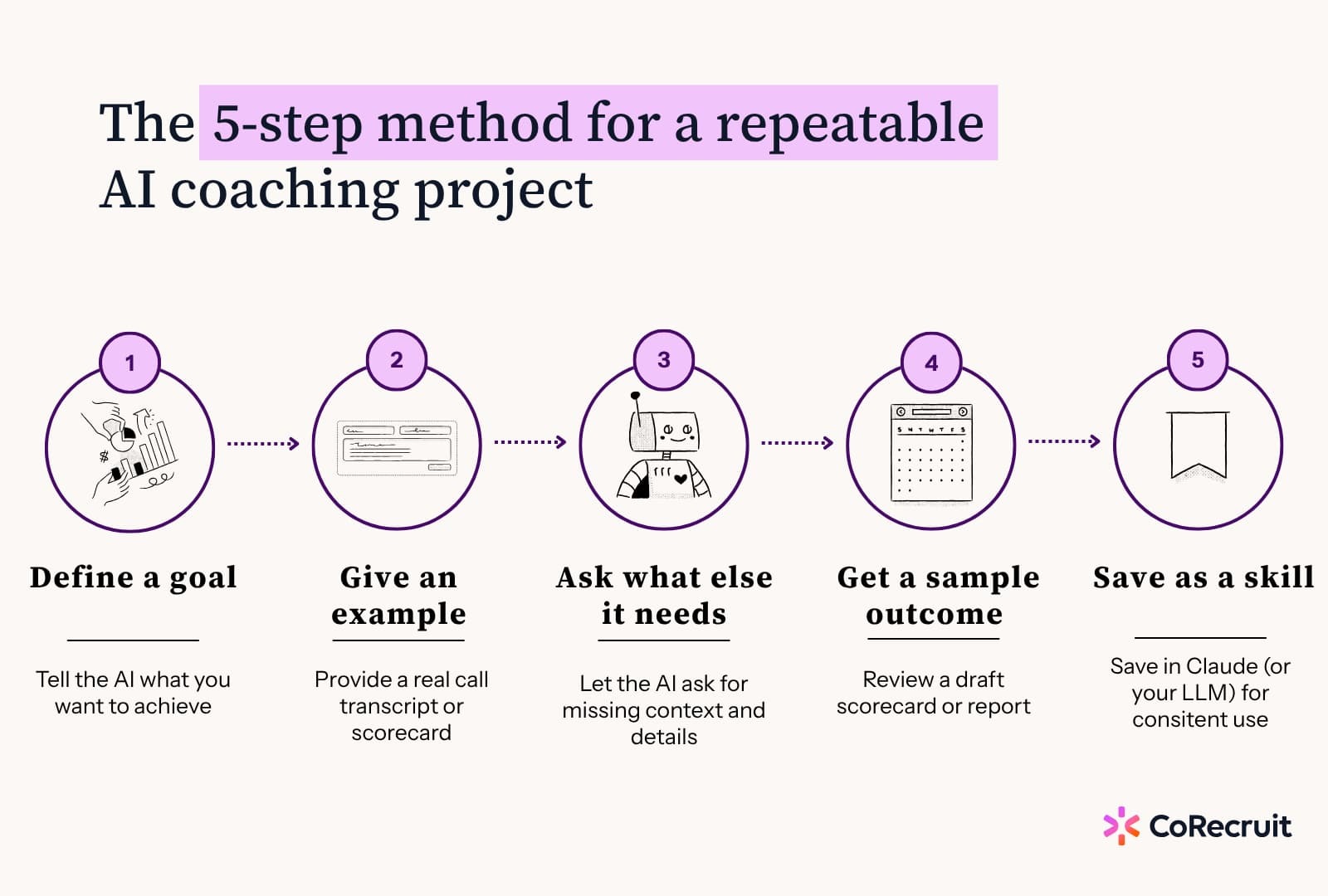
Once the connector is in place, the build itself follows a short, repeatable sequence:
State the job plainly: what it should do and the outcome you're after. For a recruiting example, that might be "build me a scorecard for business development calls."
Feed it a real transcript of a call you'd hold up as the standard, or an existing scorecard if your team already has one documented.
Have the model tell you what extra context would sharpen the result. This is the step people skip, and it's the one that turns a generic output into something built for your team.
Get a draft scorecard or report before you rely on it for real coaching decisions, so you can check it against your own read of what good looks like.
Once the output holds up, save the prompt as a reusable skill inside a project. Every future request references the same standard, so scoring stays consistent across reps and over time.
Repeat this once per call type: business development, intake, interview, reference check. Each one needs its own standard, because a strong intake call and a strong interview don't look anything alike.
A prompt drifts. Ask the same question two different ways and a plain prompt can return two different scoring standards, which quietly undermines any week-over-week comparison.
A skill fixes the standard in place: the categories, the scoring scale, and the weighting all stay constant no matter how the request is phrased later.
The build order that works best: get a scorecard you're happy with, ask the assistant to turn it into a master prompt for your project's instructions, then ask whether that prompt should become a saved skill. Most assistants will flag this step themselves once the prompt is solid. From there, running "score last week's business development calls" pulls the same standard every time, without retyping the criteria.
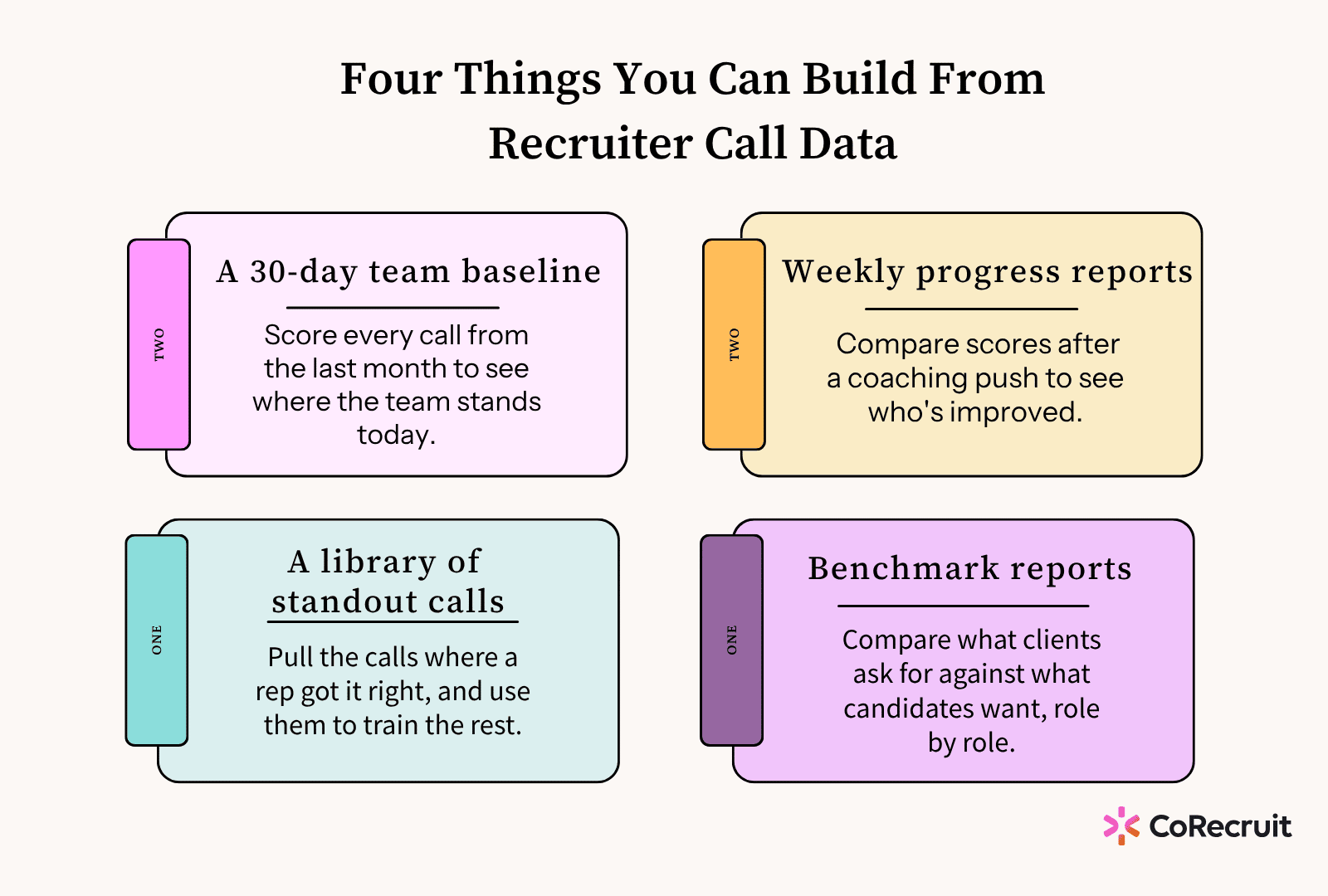
Reviewing two calls per rep, per week, by hand takes about 4 hours a week per reviewer, and even then only covers a small slice of total calls. Watching recording calls at 2x speed buys back some of that time but is still sampling, not full coverage.
An MCP-powered scorecard replaces that manual listening with a report the AI generates directly from every call in the dataset, which is what turns hours of review time into minutes, and frees up the rest of that time for actual coaching instead of hunting for what to coach on.
This table compares three ways of reviewing recruiter calls, on two things:
1. how long it takes to get through a month of calls?
2. and how much of your team's call volume you end up seeing.
The assistant will occasionally get something wrong. Treat every scorecard as a first draft, not a verdict: check flagged categories against the actual transcript before using them in a coaching conversation, and ask the model to show its source when a score looks off.
This also isn't unique to any one connector. Several call-recording tools offer MCP support, and the same five-step method works with any of them. What separates a connector built for third-party recruiting is whether it sees phone calls at all, and whether it understands call type well enough to score an intake conversation differently from an interview.
.svg)


%20LG.svg)

.svg)


